

Blog
PS5 HDMI Port Repair: Symptoms, Costs and What the Repair Involves

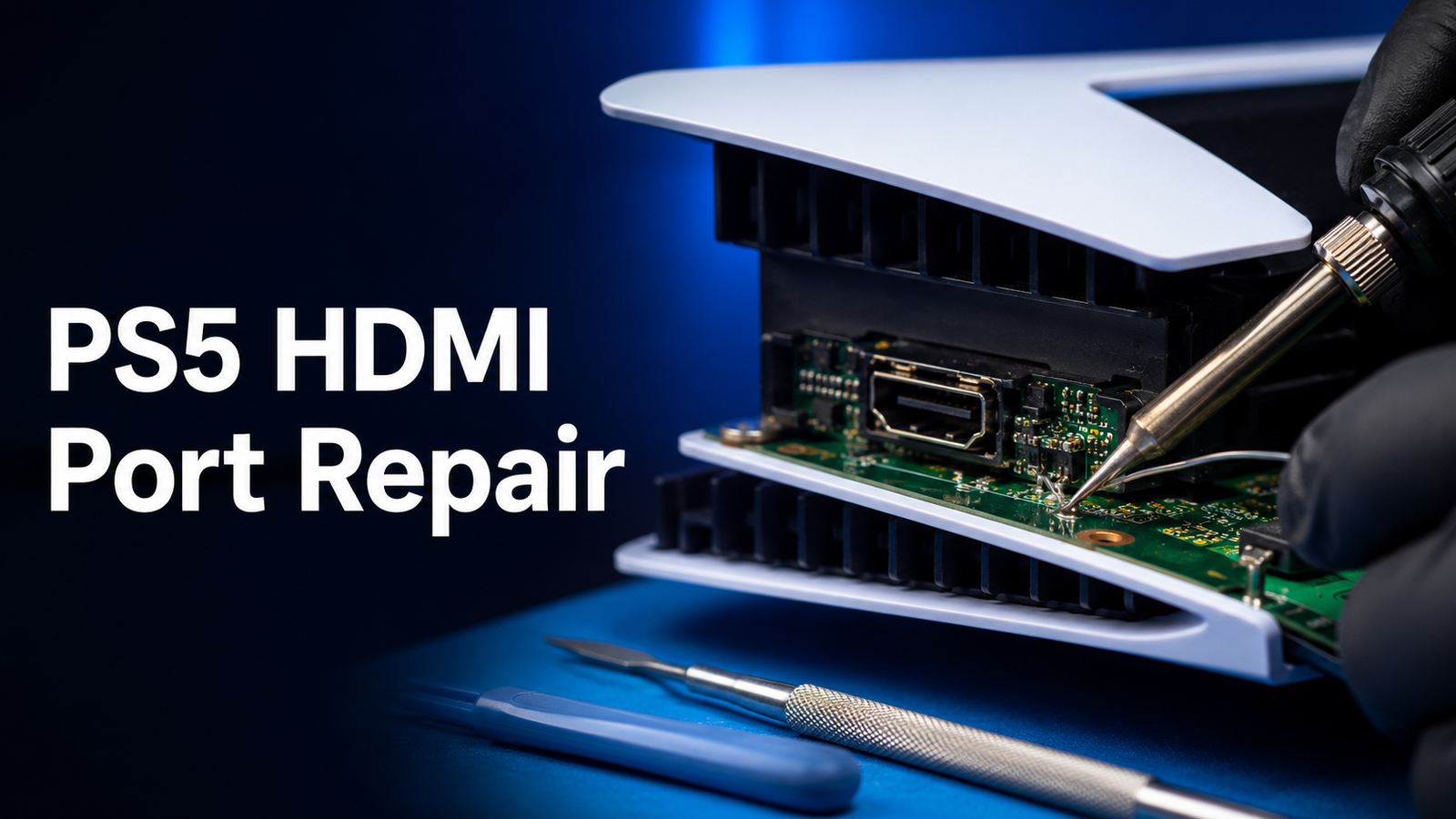
A PlayStation 5 that powers on, fans spinning, lights doing exactly what they should, while the television insists there is no signal, is one of the more frustrating faults in consumer electronics. The console is clearly alive. The screen simply refuses to acknowledge it.
Sometimes that is a damaged HDMI port. Often it is not. Cables fail, televisions get confused, HDMI handshakes go wrong and video output settings end up somewhere the display cannot follow. Working out which of those you are dealing with, before spending anything, is the whole point of this guide.
What follows explains the symptoms of a damaged PS5 HDMI port, how to tell a port fault from a cable or television problem, what you can safely check at home without opening anything, what a board-level repair actually involves, and what it tends to cost in the UK. It is written for PlayStation owners rather than technicians, with a local section for anyone around Telford, Oakengates, Broseley and the wider Shropshire area.
Repair cost information in this article was checked on 4 September 2026 and is indicative of the UK market rather than a quotation.
Quick Answer
How do I know if my PS5 HDMI port needs repairing, and what does it cost?
A damaged HDMI port typically produces no signal at all, or a picture that appears only when the cable is held at a particular angle, or intermittent dropouts, flickering and visual artefacts that follow movement of the cable. If wiggling the cable changes anything, that points strongly at the port.
Before assuming the worst, rule out the simpler causes. Sony’s own guidance is to check the connection at both ends, try a different HDMI cable and a different port on the television, connect the console directly to the screen rather than through a sound bar or capture card, turn everything off and disconnect the power for 20 minutes, and make sure the television firmware is up to date. If the console still shows nothing, the PS5 has a Safe Mode option called Change Video Output that lets you force a lower resolution or alter the HDCP mode, which resolves a good number of no-signal cases that have nothing to do with hardware.
If none of that helps, and particularly if you can see bent or missing pins, a port that moves when the cable is inserted, or damage inside the connector, a physical repair is likely. Across the UK market, straightforward PS5 HDMI port replacement is commonly quoted between roughly £70 and £160, with more involved work such as pad or trace repair or an HDMI encoder fault typically ranging from about £120 to £220 or more. Many repairers charge a diagnostic fee that is often deducted if you go ahead.
Do not attempt board-level soldering yourself. The HDMI port on a PS5 is soldered directly to the mainboard, and a failed attempt frequently turns a repairable console into a scrap one.
PS5 HDMI Port Symptoms
| Symptom | What it typically indicates | How likely the port is at fault |
|---|---|---|
| No signal at all, console clearly powered on | Port, cable, television input or video output setting | Moderate; rule out cable and TV first |
| Picture appears only when the cable is held at an angle | Damaged or loose port, or damaged cable end | High |
| Picture cuts in and out during play | Intermittent connection at the port, failing cable or handshake problem | High if it correlates with movement or vibration |
| Flickering, snow, sparkle or coloured static | Signal integrity problem at the connector or a marginal cable | Moderate to high |
| Green, purple or pink tint across the picture | Loss of one or more signal pairs, often a bent pin or damaged pad | High |
| Screen artefacts, blocks or tearing that worsen over time | Progressive damage to the port or its solder joints | High |
| The HDMI plug feels loose or falls out under its own weight | Physical damage to the connector housing | Very high |
| The plug will not go in fully, or feels gritty | Bent pins or debris inside the connector | Very high |
| Audio works through a receiver but there is no picture | Partial signal loss, handshake or HDCP issue | Moderate |
| Console works on one television but not another | Handshake, resolution or HDCP compatibility rather than damage | Low |
| No signal after a firmware update or settings change | Video output configuration | Low |
| No signal and no fan noise or light activity at all | Power supply or mainboard fault rather than HDMI | Low |
The single most useful diagnostic sign in that table is movement sensitivity. A picture that responds to the cable being nudged, or that fails when the console is moved on a shelf, is behaving like a mechanical connection problem, which is what a damaged port is.
Is It the Port, the Cable or the Television?
Three components have to co-operate for a picture to appear, and any of them can fail in ways that look identical from the sofa.
It Might Be the Cable
HDMI cables fail more often than people expect, particularly where they are bent tightly behind a unit, trapped under furniture, or repeatedly plugged and unplugged. Damage at the connector moulding is common and usually invisible.
The PS5 ships with an Ultra High Speed HDMI cable, and Sony recommends using the cable included with the console, noting that the PS5 supports HDMI 2.1 specifications including 4K 120Hz output. Older cables generally still produce a picture, but a cable that cannot carry the bandwidth the console is trying to send can produce exactly the symptoms people associate with a broken port: dropouts, sparkle, flicker or no signal at higher settings.
It Might Be the Television
Televisions have their own failure modes. Individual HDMI inputs can fail while others work perfectly. Some inputs are limited to lower bandwidth, so a console set to 4K 120Hz may produce nothing on one port and a perfect picture on another. Television firmware bugs affecting HDMI 2.1 handling have been a real and well-documented problem on some sets.
It Might Be the Handshake
Every time a source and a display connect over HDMI, they negotiate what the display can accept and exchange HDCP copy protection data. That negotiation is what people mean by a handshake, and when it fails you get a black screen with everything apparently working. Handshake problems are especially common where a sound bar, AV receiver, HDMI switch or capture card sits in the middle, which is why Sony’s guidance is to connect the console directly to the screen when troubleshooting.
It Might Be the Console’s Video Settings
A PS5 set to output a resolution, refresh rate or HDR mode the display cannot handle will show nothing. This most often happens after connecting the console to a different television, after a settings change or occasionally after a system update. Sony provides Safe Mode options specifically for this: Change Video Output, offering Change Resolution and Change HDCP Mode.
It Might Be the Port
Once cable, television, handshake and settings have been eliminated, the port becomes the prime suspect, and physical evidence usually confirms it.
Safe Troubleshooting Checklist
Everything in this section is safe, requires no tools and involves no dismantling. Work through it in order and stop when you get a picture.
1. Check the Obvious Connections
Make sure the HDMI cable is fully seated at both ends. Confirm the television is on the correct input. If you have a sound bar or receiver in the chain, confirm it is powered and on the right input too.
2. Connect the Console Directly to the Television
Remove every intermediate device. No sound bar, no receiver, no HDMI switch, no capture card, no extension. Console straight to screen with a single cable. This is Sony’s own troubleshooting instruction and it resolves a meaningful share of no-signal cases on its own.
3. Try a Different HDMI Cable
Use the cable that came with the console if you still have it. If you are using a third-party cable, borrow a known good one from another device. Look at the connector ends while you are handling them for bent contacts, splits in the moulding or a plug that feels loose.
4. Try a Different HDMI Port on the Television
Move to a different input and select it properly on the television. If the console works on input 2 but not input 1, the television port is the problem rather than the console.
5. Try a Different Screen Entirely
A second television or a monitor is the single most valuable test available to you. A console that works perfectly on another screen does not have a broken HDMI port.
6. Power Cycle Everything Properly
Turn off the television and the console completely. Disconnect both power cables. Sony’s guidance is to wait 20 minutes before reconnecting, which is longer than most people assume and matters because it allows capacitors to discharge and HDMI handshake states to clear.
7. Check the Television’s Firmware
Sony specifically advises making sure your screen has the latest firmware. HDMI 2.1 compatibility fixes have shipped in television firmware updates, and an out-of-date set can misbehave with a PS5 while handling everything else fine.
8. Use Safe Mode to Change the Video Output
If the console still produces no picture, Safe Mode is the next step, and it does not require you to see the normal interface.
To enter Safe Mode, hold the power button for three seconds to turn the console off, then press and hold the power button again and release after the second beep, which sounds about seven seconds after the first. Connect a controller with a USB cable and press the PS button.
From the Safe Mode menu, choose Change Video Output, then:
- Change Resolution to force the console to a lower, more widely compatible resolution. The console restarts and outputs at a safe setting, which very often restores a picture.
- Change HDCP Mode if you suspect a copy protection negotiation problem, particularly with older displays or capture equipment.
If a picture appears at a lower resolution, the port is almost certainly fine and you have a settings or compatibility problem rather than a hardware one.
9. Consider the Other Safe Mode Options Carefully
Safe Mode also offers Restart PS5, Repair Console Storage, Update System Software, Restore Default Settings, Clear Cache and Rebuild Database, Reset PS5, and Reset PS5 with a system software reinstall.
Sony notes that some Safe Mode options result in the loss of data and recommends backing up first. Restoring default settings and rebuilding the database do not delete your games and saves. The two Reset options delete all user data, so they are not casual troubleshooting steps and should not be used to chase a no-signal fault unless you have a backup and a specific reason.
10. Note What Changes
Before contacting anyone, write down what you found. Does the picture appear briefly at boot and then vanish? Does moving the cable change anything? Does it work on another television? Did the fault start after a drop, a house move or a cable change? That information shortens diagnosis considerably.
Inspecting the Port Safely
You can learn a great deal by looking, provided you look properly and touch nothing.
Get the light right. A bright torch, ideally a small LED torch, aimed straight into the connector. A phone torch works, and a phone camera in macro mode is even better because you can zoom in on the image afterwards. Do this with the console switched off and unplugged from the mains.
Look at the console from the back at eye level rather than peering down at an angle. The HDMI connector is a shallow rectangular socket with a row of fine contacts along a central tongue.
What you are looking for:
- Pins that are bent, flattened or missing
- The central tongue sitting crooked rather than square
- Any visible gap between the connector and the console casing
- Debris, dust, pet hair or fragments of plastic inside the socket
- Discolouration, scorching or melted plastic around the connector
- A connector that moves when you gently touch the cable already inserted
What not to do:
- Do not poke anything into the port. Pins bend easily and a screwdriver, paperclip or SIM tool will make an inexpensive repair into an expensive one.
- Do not use compressed air at high pressure, which can drive debris further in and bend contacts.
- Do not attempt to straighten a bent pin with tweezers. It is far harder than it looks and the contacts fracture rather than bend back.
- Do not open the console to look inside, particularly while it is in warranty.
- Do not force a cable that will not seat. If it does not go in easily, something is wrong.
If you spot obvious physical damage, you have your answer and further troubleshooting is unnecessary.
Physical Signs of Damage and What They Mean
Not all HDMI port faults are the same, and the differences matter because they determine what the repair involves.
Bent or Damaged Pins
The most common visible fault. Usually caused by a cable inserted at an angle, a knock to a cable already plugged in, or something catching the cable while the console is moved. Bent pins may still make contact intermittently, which is why the fault often presents as a picture that comes and goes.
A Loose Port
The connector should be rigid. If it moves in its housing when the cable is inserted or wiggled, the solder joints holding it to the mainboard have been stressed. This is the classic result of tripping over a cable or a console being pulled off a shelf, and it is often accompanied by symptoms that change with movement.
Debris Inside the Connector
Dust, hair and fragments of packaging accumulate in a socket that lives on the back of a console. Debris can prevent full insertion or bridge contacts. Removing it properly is a workshop job rather than something to attempt with a cocktail stick.
Damaged Solder Joints
The port is soldered to the mainboard through a row of fine connections. Physical stress can crack those joints without any visible damage to the connector itself. Consoles with this fault often work perfectly until they are moved, then fail, then work again once something settles. It is one of the reasons a proper inspection under magnification matters.
Damaged Motherboard Pads or Traces
When a port is torn or levered, it can take the copper pads it was soldered to with it, or break the fine traces that carry signals away from the connector. This is a more involved repair, because a new port cannot simply be fitted to a surface that no longer has intact connections. Pads must be rebuilt and traces bridged before the port goes on, which takes longer and requires more skill.
HDMI Encoder or Related Component Faults
Behind the port sits circuitry that handles the video signal, including the HDMI encoder. Damage here, most often from a power surge, a lightning event through an aerial or mains connection, or from liquid, produces symptoms similar to a damaged port but is not solved by replacing the connector. Diagnosis is what separates the two, and this is one reason a repairer who tests before quoting is worth using.
Liquid or Heat Damage
Spilled drinks, damp storage and consoles kept in enclosed cabinets can all leave their mark. Corrosion around the connector, or heat damage from poor ventilation, tends to appear alongside other symptoms and changes the scope of any repair.
How PS5 HDMI Ports Get Damaged
Understanding the causes makes the prevention section later more useful.
- Tripping over the cable, or a pet or child catching it, which levers the connector sideways
- Moving the console with the cable still connected, particularly lifting it by the body while the cable stays hooked on something
- Forcing a cable in at an angle, especially in a dark space behind a television unit
- Repeated plugging and unplugging, common where one television serves several devices
- Standing the console vertically without the stand fitted properly, so it topples onto the cable
- A heavy or stiff cable hanging unsupported, which puts constant leverage on the connector
- Power surges through the mains or an aerial connection, which affect the circuitry rather than the connector
- Poor ventilation over long periods, which stresses everything on the board
Almost all of those are mechanical, and almost all of them are avoidable.
What a Professional Diagnosis Involves
A useful diagnosis is more than plugging in a cable and shrugging. When a PS5 comes in with a no-signal fault, a competent workshop should be doing the following.
Confirming the symptom independently. Testing on known good cables, known good displays and a known good power supply, so that the fault is reproduced under controlled conditions rather than taken on trust.
Establishing whether the console is otherwise healthy. Does it boot, do the fans behave normally, does the light sequence look right, does it respond to a controller, does Safe Mode load and output?
Checking video output settings. A console forced to an incompatible resolution is a settings problem, and it would be poor practice to charge for a hardware repair on one.
Physical inspection under magnification. Looking at the connector, its pins and its solder joints properly, with lighting and magnification rather than a torch and optimism.
Opening the console where necessary and with your consent, to inspect the port from the board side, check for lifted pads, cracked joints, corrosion or heat damage, and to assess whether anything beyond the connector is involved.
Distinguishing port damage from circuit faults. This is the important one. If the HDMI encoder or associated circuitry is at fault, replacing the port achieves nothing, and you should be told that before any work is authorised rather than after.
Explaining the findings. What is damaged, what the repair involves, what it will cost, what the realistic outcome is, and what happens if the console turns out to have further faults once opened.
We carry out this kind of assessment as part of our console repair services, and if a console turns out to have a fault that cannot be economically repaired, we will tell you that rather than proceeding regardless.
What the Repair Involves at a High Level
This section describes the process so you know what you are paying for. It is deliberately not a set of instructions, because HDMI port replacement is board-level work that should not be attempted without the right equipment and experience.
1. Disassembly. The console is opened following the correct sequence for the model, which differs between the original PS5, the Digital Edition, the Slim and the Pro. The mainboard is removed, which involves the cooling assembly, thermal paste and a number of connectors that are easy to damage if rushed.
2. Diagnosis on the bench. With the board accessible, the port and the surrounding area are inspected under a microscope, and the scope of the damage is established: connector only, connector plus pads, or something further into the circuit.
3. Removing the old port. The existing connector is removed from the board under controlled heat. This is the step that separates experienced work from optimistic work, because excessive or badly directed heat damages surrounding components and the board itself.
4. Cleaning and preparing the area. Old solder is removed, the pads are cleaned and the area is inspected again. Any corrosion or residue is dealt with at this stage.
5. Pad or trace repair if required. Where pads have lifted or traces have broken, they are rebuilt before a new port can be fitted. This adds time and cost, and it is the main reason two quotes for the same console can differ.
6. Fitting the replacement port. A new connector is aligned and soldered into place, then inspected to confirm every connection is sound and nothing is bridged.
7. Reassembly. The board goes back with fresh thermal paste where the cooling assembly has been disturbed, and every connector is reseated correctly.
8. Testing. The console is tested for picture and sound across resolutions, ideally including 4K output, with the cable moved and the console handled to confirm the repair is mechanically sound rather than merely working on the bench.
Two honest caveats belong here. A console that has suffered a heavy impact may have other damage that only becomes apparent once it is open. And where the fault turns out to lie in the HDMI circuitry rather than the connector, the repair may be more complex or, in some cases, uneconomic. A good repairer raises both possibilities before starting.
Indicative UK Repair Costs
These figures were checked on 4 September 2026 and reflect published prices at UK repair businesses. They are indicative of the market and are not quotations.
| Repair type | Indicative UK range | Notes |
|---|---|---|
| Standard HDMI port replacement | Around £70 to £160 | Connector damaged, board otherwise sound |
| Port replacement with pad repair | Around £120 to £180 | Where pads have lifted with the old connector |
| Trace reconstruction or HDMI encoder fault | Around £120 to £220 or more | More complex board-level work |
| Diagnostic fee | Commonly around £25 to £40 | Frequently deducted if the repair goes ahead |
Some UK businesses advertise a single flat rate for PS5 HDMI port replacement regardless of model, while others price by the extent of the damage found. Both approaches are legitimate, but they answer different questions, and a flat rate usually assumes the board is undamaged beneath the connector.
We do not publish fixed console prices in articles like this, because the correct price depends on what an inspection finds. For current options you are welcome to ask us about your specific console.
What Moves the Price
The extent of the damage. A clean connector swap is the least expensive outcome. Lifted pads, broken traces or damage to nearby components all add work.
Whether the fault is the port at all. Encoder and circuit faults are a different job with a different cost, and occasionally a different answer entirely.
Console model and revision. The original PS5, Digital Edition, Slim and Pro differ in layout and disassembly, which affects labour time.
Additional faults found on opening. Liquid damage, corrosion, previous repair attempts and heat damage all change the picture.
Previous attempts. A console that has already been worked on by someone without the right equipment is often more expensive to put right than one that has not been touched, because damage has usually been added.
What is included afterwards. Testing, cleaning, fresh thermal paste and any cover offered on the work are part of what you are buying, and comparing a bare price against a fuller service is not comparing like with like.
Repair, Sony Service or Replacement?
Three routes, and the right one depends on the console’s age, its warranty status and what you have stored on it.
| Route | Strengths | Trade-offs |
|---|---|---|
| Independent board-level repair | Usually the least expensive route, local, your own console comes back with your data on it, faster in most cases | Quality varies between providers, so choose carefully |
| Sony service | Manufacturer process, and the returned product is guaranteed for three months or the remainder of the 12-month guarantee, whichever is longer | Sony may replace rather than repair, consoles are factory reset so data is lost, and Sony aims to return items within 15 days of receiving them |
| Replace the console | No repair risk, new warranty | The most expensive option by a wide margin, and your saves and installed games need moving across |
Two points are worth weighing carefully.
Data is the deciding factor for many people. Sony’s returns guidance states that consoles are factory reset and instructs customers to back up saves, deactivate the system, sync trophies and remove any M.2 SSD before sending. If your console comes back replaced rather than repaired, whatever was on the original drive is gone. An independent repair normally returns the same console with the same storage intact, which for many households is the difference between an inconvenience and a real loss.
Warranty status changes the maths. If your PS5 is still within its warranty period and the fault is not the result of physical damage, contact Sony first rather than paying anyone. Physical damage is usually treated differently, so check the terms that apply to your console.
Replacement is rarely the rational choice for an HDMI fault alone. A console that is otherwise healthy, with your games installed and your storage upgraded, is worth considerably more to you than the price of a port repair. Replacement makes more sense where the console has multiple faults, has been repaired unsuccessfully before, or where the diagnosis finds damage beyond the port that is uneconomic to address.
How Long a Repair Takes
Turnaround varies by workshop and by what the diagnosis finds, so treat any figure you are given as conditional until the console has been assessed.
Some UK repairers advertise same-day or next-day turnaround for straightforward PS5 HDMI port replacement, on the basis that the work itself takes a few hours once the console is on the bench. Realistically, the elements that determine how long you are without the console are:
- How busy the workshop is when your console arrives
- Whether the correct replacement port is in stock
- Whether pad or trace repair is needed, which adds time
- Whether additional faults are found once the console is open
- How thoroughly the console is tested afterwards, including a period of soak testing on longer jobs
By comparison, Sony’s own returns guidance says they aim to return a repaired or replaced item within 15 days of receiving it, plus the time taken for the console to travel each way.
If timing matters, say so when you book the console in, and ask what happens if the diagnosis turns up something more involved than expected.
Data and Storage Considerations
An HDMI repair does not normally touch your storage, but there are still things worth doing.
Back up your saves if you can still use the console. If the console outputs a picture at a lower resolution through Safe Mode, or works on another television, take the opportunity. PlayStation Plus members can upload saves to cloud storage, and saves can also be copied to a USB drive.
Sync trophies before the console leaves. Trophy data lives locally until it syncs.
Deactivate the console if it is going to Sony. Sony’s returns guidance instructs customers to deactivate the system to avoid licence problems, since a replaced console counts against your activation.
Remove any M.2 SSD before sending a console to Sony. Their guidance is explicit about this. For an independent repair, ask whether they want the drive left in place; usually it makes no difference, but it is worth asking.
Take out any disc. A disc left inside a console that is being posted can move around, and it is one less thing to worry about.
Remove accessories and cables. Send or bring the console and, where relevant, the power cable. Controllers and headsets are rarely needed for an HDMI repair.
Understand the difference between repair and replacement in data terms. A local repair returns your console. A manufacturer exchange may not, and Sony’s own guidance says consoles are factory reset. If there is something on that drive you cannot replace, that difference matters more than the price.
Preventing Future HDMI Port Damage
The overwhelming majority of PS5 HDMI faults are mechanical, so prevention is straightforward.
Route the cable so nothing pulls on it. The most common cause of damage is force applied to a connector that is already plugged in. Run the cable so that it cannot be caught by feet, chairs, vacuum cleaners, pets or the console being slid on a shelf.
Leave slack behind the console. A cable stretched taut between the console and the television applies constant leverage. A gentle loop of slack removes it.
Use a cable with a flexible, not rigid, connector. Very thick, stiff HDMI cables put more strain on the socket, particularly where they have to bend immediately behind the console.
Unplug before moving the console. Always. Lifting a console with the cable attached is the single most reliable way to damage the port.
Insert cables straight and gently. If the plug does not seat easily, stop and look rather than pushing harder. Fitting cables behind a unit in the dark is how pins get bent.
Minimise plug cycles. If one television serves several devices, consider an HDMI switch positioned where it is easy to reach, so the console cable stays put.
Give the console room to breathe. Adequate ventilation protects everything on the board, including the HDMI circuitry. Enclosed cabinets with no airflow are a poor home for a PS5.
Consider surge protection. A decent surge-protected extension lead is inexpensive insurance for the circuitry behind the port, particularly in older properties or during storms.
Stand the console securely. Whether horizontal or vertical, make sure it is stable and correctly supported so it cannot topple onto its own cable.
Sort out cable clutter. Tangled cables get pulled as a bundle, which transmits force to whichever connector is least able to take it.
How to Transport a PS5 Safely
Consoles are often damaged on the way to being repaired, which is a shame.
Disconnect everything first. Power, HDMI, USB, network cable, external drives. Never carry the console with a cable attached.
Remove any disc, and remove the stand if it is fitted for vertical use.
Support the console properly. Carry it flat and level with two hands, rather than by one edge. The optical drive and internal components do not enjoy being jolted.
Use the original box if you have it. It was designed for the job. If not, use a sturdy box with at least a few centimetres of padding on every side, with the console wrapped in bubble wrap or a thick towel and packed so it cannot move.
Do not post a console loose in a padded envelope. It happens, and it does not end well.
Keep it out of the boot in extreme temperatures, and do not bring a very cold console straight into a warm room and switch it on, because condensation can form.
If you are posting it, insure it for its replacement value and keep proof of postage.
If you are bringing it into a shop, bring the power cable and the HDMI cable you have been using. The cable is part of the diagnosis, and a cable fault is a much better outcome than a port fault.
Frequently Asked Questions
1. How do I know whether it is my PS5 or my television?
Test the console on a different screen and test the television with a different device. If the PS5 produces no picture on two different televisions using two different cables, the console is the problem. If it works on another screen, your television or its input is at fault. This one test saves more wasted money than anything else in this article, so do it before booking a repair.
2. Can a damaged HDMI port cause flickering rather than no picture at all?
Yes, and it is common. Partial damage, such as a bent pin or a cracked solder joint, can leave enough contact for a picture that is unstable rather than absent. Flickering, sparkle, coloured static or a picture that drops out when the console is nudged are all consistent with a marginal connection at the port. A cable fault can produce the same symptoms, which is why swapping the cable is an early step.
3. Is it safe to keep using a PS5 with a loose HDMI port?
It is not going to be dangerous, but continuing to use it usually makes the repair worse. Every time a loose connector moves, the stressed solder joints work further, and the fault can progress from cracked joints to lifted pads, which is a more involved and more expensive repair. If the port is visibly loose, it is worth dealing with sooner rather than waiting for it to fail completely.
4. How much does PS5 HDMI port repair cost in the UK?
Checked on 4 September 2026, published UK prices for a straightforward PS5 HDMI port replacement commonly sit between roughly £70 and £160. Where the pads under the connector have lifted, expect roughly £120 to £180, and where trace reconstruction or an HDMI encoder fault is involved, roughly £120 to £220 or more. Many repairers charge a diagnostic fee of around £25 to £40, often deducted if the repair proceeds. These are market indications rather than quotations for your console.
5. Can I replace the HDMI port myself?
This is not a realistic DIY job. The connector is soldered directly to the mainboard with fine, closely spaced connections, and removing it requires controlled heat, appropriate tooling and magnification. Failed attempts routinely damage pads, traces and surrounding components, turning a repairable console into one that is not worth fixing. If you want to do something useful yourself, work through the cable, television and Safe Mode checks in this article, since those genuinely do solve a lot of no-signal cases.
6. Why does my PS5 work on one television but not another?
Almost always a compatibility or handshake issue rather than damage. Different televisions support different resolutions, refresh rates and HDCP behaviour, and a console set to output 4K at 120Hz may produce nothing on a set or an input that cannot accept it. Use Safe Mode’s Change Video Output option to force a lower resolution, connect directly to the screen with no sound bar or switch in the chain, and check the television’s firmware is current.
7. Will I lose my games and saves if I have the port repaired?
An independent board-level repair does not normally touch storage, and you should get your own console back with everything on it. The situation is different if the console goes to Sony, whose returns guidance says consoles are factory reset and advises backing up saves, syncing trophies, deactivating the system and removing any M.2 SSD first, since the item you receive may be a replacement rather than your original.
8. Does opening the console void my warranty?
Any repair carried out by someone other than the manufacturer can affect manufacturer warranty cover, so if your console is still in warranty, contact Sony before letting anyone open it. Bear in mind that physical damage is usually treated differently from a manufacturing fault, so a port damaged by a pulled cable may not be a warranty matter in the first place. Check the terms that apply to your console before deciding.
9. My PS5 shows no signal and no lights or fan noise at all. Is that the HDMI port?
Unlikely. A console with no signs of life is pointing at the power supply or the mainboard rather than the video output. An HDMI fault leaves the console running normally, with fans, lights and controller connectivity all working, and only the picture missing. Describe exactly what the console does and does not do when you seek help, because that distinction changes the diagnosis completely.
10. What is an HDMI handshake, and can it look like a broken port?
It is the negotiation that happens between the console and the display each time they connect, covering what the screen can accept and the exchange of HDCP copy protection data. When it fails you get a black screen with both devices apparently working, which looks exactly like a hardware fault. Handshake problems are more likely when a sound bar, receiver, switch or capture card sits between console and screen, which is why connecting directly is a standard troubleshooting step.
11. Can a power cut or a storm damage the HDMI circuitry?
It can. Surges through the mains, or through an aerial or network connection, can damage the circuitry behind the port, including the HDMI encoder. The symptoms resemble a damaged connector but replacing the port will not solve them, which is why diagnosis matters before work begins. A surge-protected extension lead is a sensible precaution, particularly in older properties.
12. Is a PS5 with a broken HDMI port worth repairing?
Usually, yes, if the rest of the console is healthy. A port repair typically costs a fraction of a replacement console, and it keeps your saves, installed games and any storage upgrade intact. The calculation changes if the diagnosis finds damage beyond the connector, if the console has been opened unsuccessfully before, or if there are other faults such as liquid damage or a failing drive. A proper assessment tells you which situation you are in.
Console Repairs in Telford, Oakengates and Broseley
If you have worked through the cable, television and Safe Mode checks and your PS5 still refuses to produce a picture, or you can see damage inside the port, bring it in and we will take a look.
TF2 Smartphone Solutions repairs consoles alongside phones and tablets for customers across Telford, Oakengates, Broseley, Madeley, Wellington and the wider Shropshire area. We will confirm the fault with known good cables and displays, inspect the port properly, explain what we have found in plain language and set out the options before anything is agreed. If the fault turns out to be your cable, we will tell you that too.
| Shop | Address |
|---|---|
| Oakengates | 47 Market Street, Oakengates, Telford, TF2 6EL |
| Broseley | 74 High Street, Broseley, TF12 5EX |
| Days | Opening hours |
|---|---|
| Monday to Saturday | 09:00 to 18:00 |
| Sunday | 10:00 to 17:00 |
Bring the console, its power cable and the HDMI cable you have been using, since the cable forms part of the diagnosis. We also handle controller faults such as drift and worn buttons and a wider range of device repairs, so if something else has been bothering you, mention it while the console is with us. You are welcome to contact the team beforehand to describe the fault and what led up to it.
Conclusion
A PS5 showing no signal is not automatically a broken HDMI port, and the cheapest repair is always the one you did not need. Swap the cable, try another input, connect directly to the screen, power everything down for 20 minutes and use Safe Mode to force a lower resolution. Those steps cost nothing and resolve a large share of cases.
When the fault survives all of that, and particularly when the picture responds to the cable being moved or you can see bent pins or a loose connector, the port itself is the likely cause. That is board-level work: a soldered connector removed and replaced under magnification, with pad or trace repair where the damage goes further. It is not a job to attempt at home, and it is not a job where the lowest quote is automatically the right one, because what is actually wrong varies more than the price does.
For a console that is otherwise healthy, repair usually makes clear sense against replacement, and it keeps your saves and installed games where they are. Get it diagnosed properly, ask what was found, and route your cables better afterwards.
Sources
- PlayStation Support: How to troubleshoot picture and sound issues with your PS5 console
- PlayStation Support: How to use Safe Mode on PS5 and PS4 consoles
- PlayStation Support: Returning your PlayStation product
- UK repair price ranges compiled on 4 September 2026 from published pricing at Celltech Mobile Repairs and TommyTech